
21.09.2026
The underestimated risk: parallax error during torque tightening
Inhalt
With mechanical torque wrenches, the target torque is set using a readable scale. As soon as the value specified appears in the viewing window in line with the target mark, you can fix it. However, it is essential that you rule out the parallax effect otherwise you run the risk of incorrect bolted connections. But what is the parallax effect? And why doesn't it occur with eClick torque wrenches from STAHLWILLE?
The word parallax describes the way in which an object appears to move when you view it from different angles. For example: if you hold out your hand, raise one finger and then look at it with the left and right eye in turn, your finger appears to move this way and that – although it isn't actually moving at all.
01.
The angle at which you view it makes all the difference
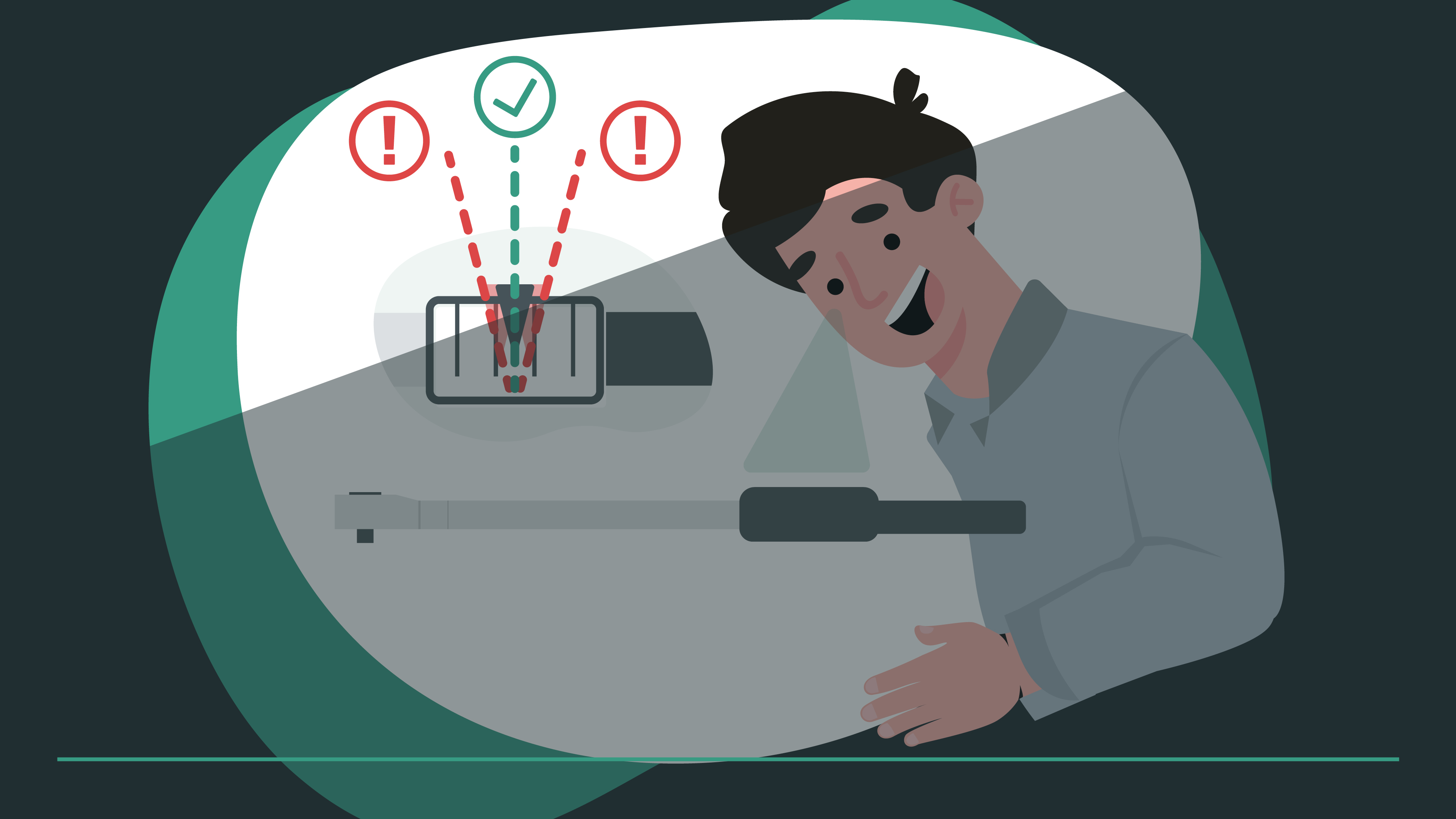
You can see the same effect when adjusting a mechanical torque wrench. There are two levels here: the viewing window with the ‘target mark’ and the readable scale with the torques marked on it. Because the scale is lower down than the window containing the mark, the value you read changes depending on whether you look at scale from a shallow angle from the left, a shallow angle from the right or centrally from above.
02.
But only one is correct – and that is the central view from directly above
Of course, there is only one correct angle. The scales of mechanical torque wrenches are designed to be viewed from a 90° angle when adjusting the target torque. That is to say: you need to view the scale showing the torques from above over the mark on the viewing window and never from a shallow perspective. If you don't do this, you might set the wrong torque and the bolted joint will not then comply with the specified standards.
03.
eClick: digital input using buttons
The problem is that in hectic situations, if people are very distracted or performing routine tasks, they are not concentrating fully and tend to make careless mistakes. This explains why the parallax effect regularly leads to incorrect adjustments on torque wrenches.
If you want to play it safe and avoid this source of error, you should look into eClick torque tools from STAHLWILLE. They measure the tightening torque electronically and click mechanically. Plus, they have a digital display where the tightening parameters are adjusted using buttons and then displayed, so there can be no misunderstanding. You can even prepare entire bolting sequences on a PC and transfer them to the torque wrench. Then, all you have to do is call up the relevant bolting sequence; no further adjustments are needed. In short: no parallax errors and no mistakes in setting parameters.
04.
Frequently asked questions about parallax error and torque setting
When an object appears to move when you look at it from different angles, we call this ‘parallax’.
Company
Service
2026© All Rights Reserved